
Home IoT Hub Series · 07
[Part 7] Bathroom Humidity Sensor with DHT22
Track bathroom humidity with DHT22 to notice mold-prone conditions.
This part watches bathroom humidity. The goal is not precision science; it is to notice when humidity stays high long enough to create mold problems.
DHT22 wiring stays simple: VCC, DATA, and GND. Place the board away from direct water splash and let only air reach the sensor.
![[Part 7] Bathroom Humidity Sensor with DHT22 hero image](/iot-lab/assets/bathroom-humidity-dht22-hero.png)
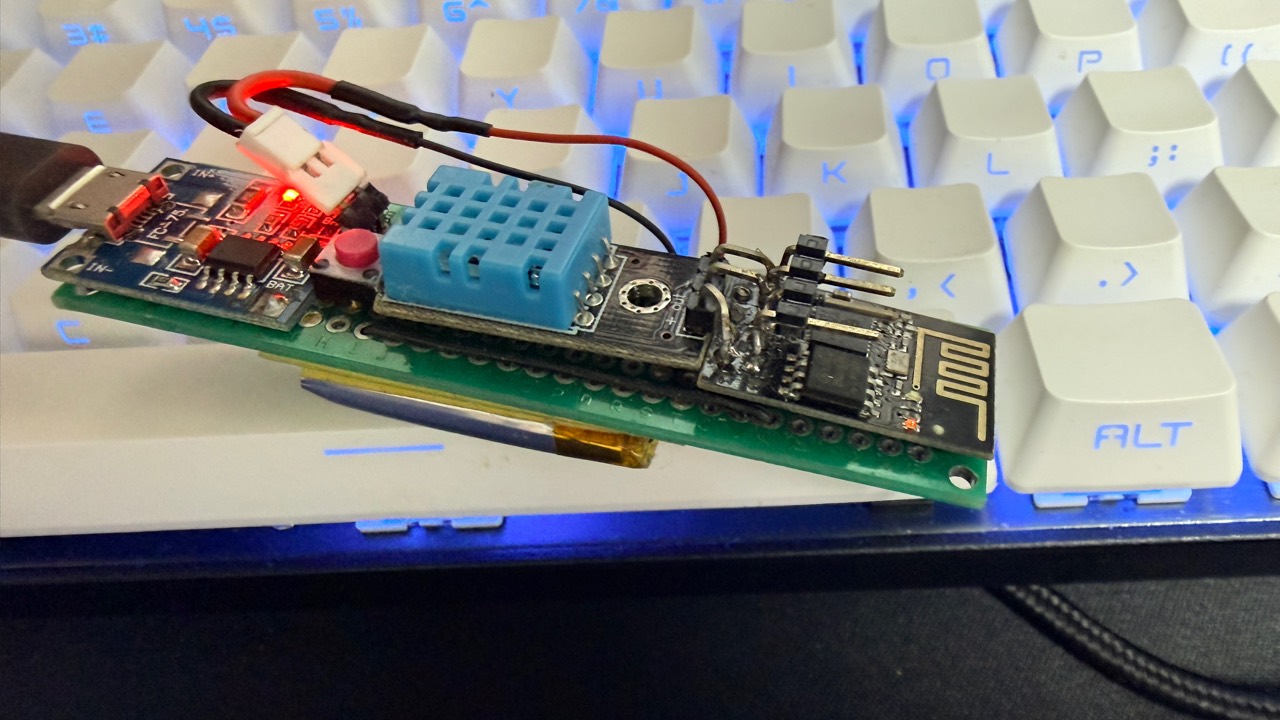
Parts and cost
| Part | Qty | Unit price |
|---|---|---|
| Wemos D1 Mini | 1개 | 2,000원 |
| DHT22 | 1개 | 2,000원 |
| Jumper wires 3개 | — | — |
| Total | 4,000원 |
Pin wiring
![[Part 7] Bathroom Humidity Sensor with DHT22 wiring diagram](/iot-lab/assets/bathroom-humidity-dht22-wiring.svg)
| Sensor / module | Board pin |
|---|---|
| VCC | 3.3V |
| DATA | D1 (GPIO5) |
| GND | GND |
Full code
[Part 7] Bathroom Humidity Sensor with DHT22 - Code 1
#include <ESP8266WiFi.h>
#include <ESP8266HTTPClient.h>
#include <DHT.h>

const char* ssid     = "IoT_Hub_Net";
const char* password = "iothub1234";
const char* hubURL   = "http://192.168.1.1";

#define DHTPIN  5
#define DHTTYPE DHT22
#define SLOT_NO 19     // 두뇌 19번 슬롯 = Bath Hum
#define INTERVAL 30000

DHT dht(DHTPIN, DHTTYPE);

void setup() {
  Serial.begin(115200);
  dht.begin();
  WiFi.mode(WIFI_STA);
  WiFi.begin(ssid, password);
  Serial.print("Connecting to IoT_Hub_Net");
  while (WiFi.status() != WL_CONNECTED) { delay(500); Serial.print("."); }
  Serial.println("\nConnected!");
}

void loop() {
  float hum = dht.readHumidity();
  if (isnan(hum)) { Serial.println("Read failed"); delay(2000); return; }

  Serial.print("Bath Hum: "); Serial.print(hum); Serial.println(" %");

  WiFiClient client; HTTPClient http;
  String url = String(hubURL) + "/set?no19=" + String(hum);
  http.begin(client, url); http.GET(); http.end();
  Serial.println("HTTP -> " + url);
  delay(INTERVAL);
}
Build notes
- After a shower, the humidity value should rise quickly. If it stays above the warning level, use it as a signal to run the fan longer.
- Power on the hub brain first so the node can join
IoT_Hub_Net. - Use the same slot number written in the source code.
- Open the serial monitor at 115200 baud and confirm
HTTP 200. - If the value does not appear on the hub, recheck wiring, GPIO number, and Wi-Fi connection.