
IoT Operations Trend
Why Firmware Update Strategy Matters for Field IoT Devices
An IoT device matters most after it leaves the desk. If it will be installed in an equipment room, ceiling space, outdoor enclosure, or any place that is hard to access, firmware updates should be part of the first design plan.
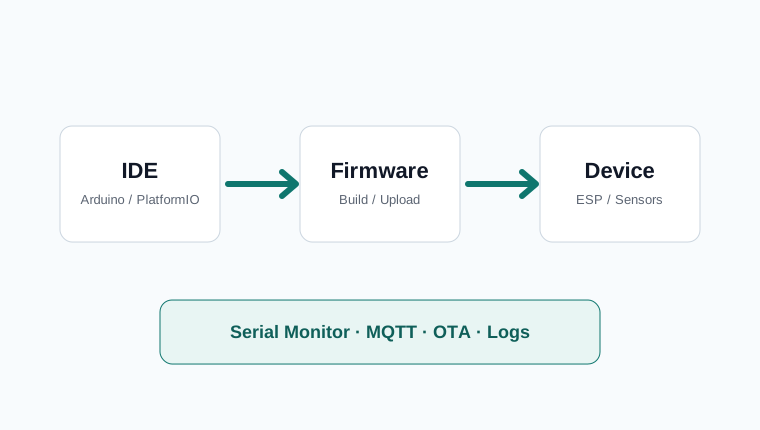
What OTA Means
OTA stands for Over The Air. In practical terms, it means uploading new firmware to an ESP8266, ESP32, or similar IoT device through Wi-Fi or a local network instead of reconnecting it to a computer with a USB cable.
USB upload is the simplest method during development. After installation, the same process can become expensive: open the enclosure, connect a laptop, upload the firmware, close the enclosure again, and confirm that the device still works. OTA turns that maintenance visit into a remote update process.
When OTA Is Worth It
OTA is not required for every project. A desk device, a home prototype, or a device that can be unplugged easily may be fine with USB updates. OTA becomes important when the device is hard to reach or when its behavior may need to change after deployment.
- The device is installed in a ceiling, outdoor box, equipment room, factory panel, or other hard-to-access place.
- Server URL, upload interval, sensor calibration, or alert thresholds may change later.
- There are multiple devices, so updating each one by USB would take too much time.
- The device watches something operationally important, such as temperature, leaks, power status, or network availability.
A Realistic Example
Imagine an ESP8266 and DHT22 installed in a rarely visited equipment room. At first it sends temperature and humidity every five minutes. During summer, you may want readings every minute so an air-conditioner failure is noticed sooner. Later, the server endpoint might change, or the temperature alarm threshold may need to move from 30°C to 28°C.
Without OTA, each change requires a site visit and a USB upload. With OTA, a new firmware file can be placed on an internal update server, and the device can download and apply it by itself. Reducing those site visits directly reduces maintenance cost and response time.
Typical Update Flow
OTA is more than overwriting a file. A reliable setup needs firmware versioning, a server-side update file, and a safe recovery plan.
- Put a firmware version in the device, such as
1.0.3. - Let the device check the latest version after boot or on a schedule.
- If the server version is newer, download the firmware file.
- Verify the file before writing it to flash memory.
- Reboot and confirm that the new firmware runs correctly.
- If the update fails, keep a way to retry or return to the previous working state.
Common Beginner Mistakes
OTA is convenient, but it can also break a device if handled carelessly. Power loss during update, a bad firmware build, or a network failure can leave the device unable to boot. Recovery planning is more important than the update button itself.
- Expose the current firmware version in logs, a web page, or server data.
- Keep Wi-Fi credentials, device name, and server URL separate from the firmware when possible.
- Protect update files with network restrictions, authentication, or clear file naming rules.
- For battery-powered devices, block updates when the battery voltage is low.
- After updating, report whether sensor reading, Wi-Fi reconnection, and server upload still work.
ESP8266 and ESP32 Notes
ESP devices have many OTA examples, so the first experiment is not difficult. The production concern is flash size and partition layout. Small ESP8266 boards with 1MB flash may have limits, while ESP32 projects should check how OTA partitions are defined.
You do not need to solve every OTA problem in the first version. A practical path is to stabilize sensor reading and server upload through USB first, then add basic OTA on the same local network. Internet-based updates, mobile Wi-Fi setup mode, and signed firmware verification can come later.
IOTHub View
A field IoT device is not finished on installation day. Sensor values drift, routers change, server endpoints move, and operating rules change. Firmware update planning is therefore not an extra feature; it is part of designing a device that can survive real operation.
Small prototypes can start without OTA. But if the device will be installed in several places or inside a case that is hard to open, plan the update and recovery path before the first enclosure is built.
OTA needs version management
OTA is risky if you do not know which firmware is running on each device. Every device should report firmware version, build date, target board, and configuration version. This makes field behavior explainable when two devices with the same hardware act differently.
A simple version such as `iot-temp-1.2.3` is enough. The important part is that the server can separate the installed version from the available version and decide which devices should update.
Do not update everything at once
If you have many devices, staged rollout is safer than global update. A firmware that works on the desk can still fail in a cabinet with weak Wi-Fi, different power, or a slightly different sensor module.
- Test with USB upload on a development board.
- Test OTA on the same local network.
- Run one test device for at least a day.
- Deploy to a few accessible field devices.
- Check logs and sensor values before wider rollout.
Plan rollback first
The key question is not “Can I update remotely?” but “What happens if the update is bad?” ESP32 can use partition layouts that support rollback. ESP8266 projects should still provide a safe mode, manual recovery path, or at least a way to avoid repeated installation of a known bad build.
Release checklist
- Is the new version clearly different from the installed version?
- Does the firmware match board and flash size?
- Have Wi-Fi, MQTT, sensor read, and output control been tested?
- Can the device recover if power fails during update?
- Is the update result logged on the server?
- Was the build observed on a small group before full rollout?
OTA is not just a convenience feature. It becomes the maintenance system once devices are installed in places you do not want to visit often.