
Custom Build
Custom IoT Builds
IOTHub focuses on devices that can run reliably in real environments, not just desk demos. Before choosing a sensor or board, the important questions are power, placement, communication, maintenance, and failure visibility.
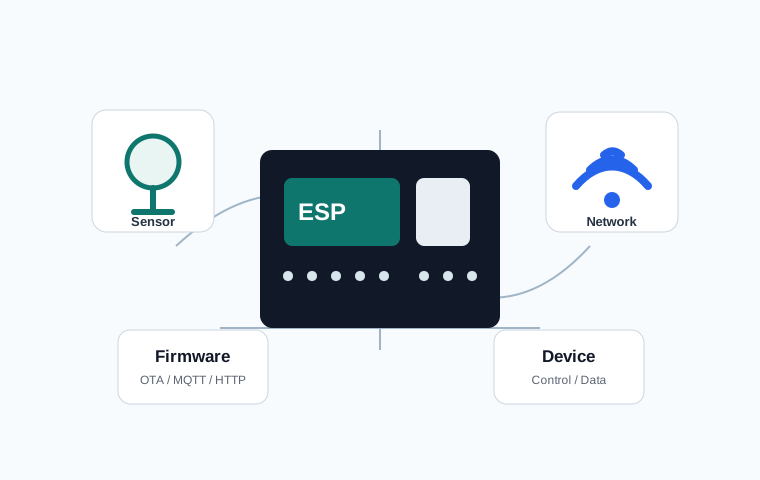
Build Scope
Data Collection
Record temperature, humidity, light, power, water level, door state, or equipment status. Sensor placement, sampling interval, outlier handling, and storage rules matter as much as the part itself.
Remote Control
Control relays, pumps, lights, fans, and alerts based on commands or conditions. Field devices need clear power separation and a manual recovery path.
Network Integration
Connect MQTT, HTTP APIs, internal servers, dashboards, and alert systems. As device count grows, the MQTT topic structure and device ID rules become operational requirements.
Field Requirements
Plan power, placement, enclosure, maintenance, logging, and firmware updates. If opening the device later is hard, define an OTA update strategy early.
How a build is defined
Starting with parts often causes redesign. Start with the target: what should be measured or controlled, what failure looks like, and who needs to act. Then check power, Wi-Fi quality, moisture, dust, enclosure constraints, and whether someone can physically reset the device.
A door state monitor can look like a simple reed-switch project, but a field-ready version needs more decisions. How long should the door be open before alerting? Should repeated alerts be suppressed? What happens when Wi-Fi disconnects and later recovers? The [Part 4] Did I close the door? is a useful reference for that kind of requirement breakdown.
Before Asking for a Build
- What needs to be measured or controlled, and what happens if it fails.
- Power, Wi-Fi, temperature, humidity, dust, and enclosure conditions at the site.
- Where data should be stored and how alerts should work.
- Required accuracy, response time, maintenance cycle, and device count.
- Whether firmware updates and local failure logs are required.
When not to build yet
If the requirement is only “I want to see a sensor value,” the device may work technically but fail operationally. Define the normal range, the abnormal range, the person who receives alerts, and the action expected after an alert before building.
Delivery criteria for a custom IoT build
A custom build is considered ready only when the normal value, abnormal value, alert destination, and recovery behavior are defined. A sensor that only displays a number is a demo; a field device needs a reason for the number and a response when the number becomes unsafe or expensive.
Before hardware is selected, the installation environment is checked: available power, Wi-Fi strength, cable length, waterproofing, heat, vibration, and whether the device must keep working without internet access. These constraints often matter more than the sensor module itself.
The final handoff should include the endpoint, slot or topic name, power requirement, enclosure note, update method, and a short troubleshooting table. That documentation is what keeps a one-off device maintainable months later.
What to check first in a custom build
A custom IoT build does not end with attaching one sensor. Before choosing the part, the operating rule must be defined: what value will be read, who should be notified when it changes, how the device should recover when the internet is unavailable, and whether it must return to the same state after a power failure.
For devices connected to safety or cost, such as gas, fire, power usage, or refrigerator temperature, false-alarm control and alert fatigue matter more than simple display output. If alerts are too frequent, the user eventually ignores them. If alerts are too late, the device loses its purpose.
That is why custom-build inquiries are reviewed together with installation position, power type, communication range, alert method, and maintenance access. Even a small device becomes useful only when its operating rules are clear.